
How do I sell items in ReStory?
Price the finished repair at delivery, sell or list inventory stock, flip Marketplace purchases after clean/repair, shred scrap once unlocked, and collect Tip Jar tips on jobs.

Sponsored
This ReStory money guide answers how to sell items in ReStory, how Marketplace flips beat walking scrap to the bin, and when Tip Jar, Shredder, online orders, and rent bills force a spend order. Verified August 16, 2026.
| Income / drain | What it does | Early priority |
|---|---|---|
| Repair delivery | Set a price at handover; yen lands in the till | Primary income every day |
| Tip Jar | Extra ¥200–¥500-class tips on walk-in and online jobs | Buy once cash is stable |
| Marketplace flip | Buy used gear → clean / repair → sell or strip parts | Best spare-cash loop |
| Shredder recycle | Turn broken parts into a few hundred yen each | After rent buffer exists |
| Online orders | Outlink Express mail jobs with deadlines + shop rating | Keep queue short |
| Rent & bills | Counter envelopes — take till cash, seal, return | Never skip week one |
| Service licenses | Unlock device classes; ~21 permits ≈ ¥2,459,000 total | After tools + buffer |
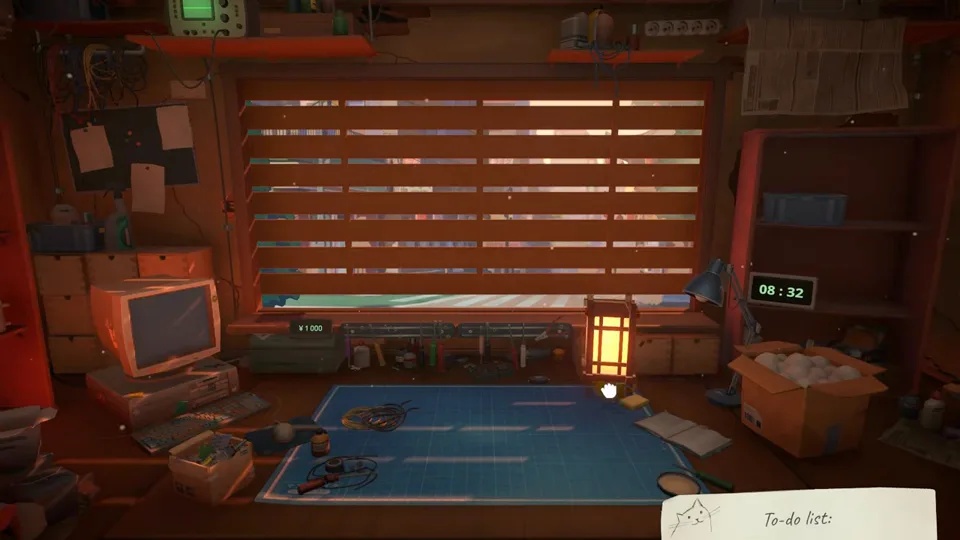
Selling is not one button. ReStory: Chill Electronics Repairs pays you when a repaired device leaves the shop at a price you set, when you list or cash out Marketplace stock, when Tip Jar catches a tip, and when the Shredder grinds scrap. Google’s “How to sell items in ReStory” question maps to all four — not only the counter handover.
| Sell path | Where | What you get |
|---|---|---|
| Priced delivery | Hand the finished device back at the counter | Repair fee you chose |
| Inventory sell | Shop stock / sell UI on restored or spare gadgets | Listed sell price |
| Marketplace exit | List or flip gear bought through Gozilla Fairfox Marketplace | Buy→fix margin |
| Shredder | Feed damaged components into the unlocked shredder | ¥200–¥500-class scrap yen |
| Tip Jar | Passive tip after qualifying jobs | Small add-on yen, no extra bench work |
At delivery you choose how hard to bill. High prices grow the till faster, but recurring customers notice — arcs that feed endings care about whether you nickel-and-dime every visit. Early week: take fair payouts on story NPCs, then squeeze anonymous walk-ins and online pickups when you need rent money.
Inventory and Marketplace screens show sell prices that look like job rewards. Confirm whether you are delivering an order or liquidating stock before you celebrate a big inventory sell line — streamers routinely confuse the two. If the ticket is an order, finish the rebuild and pack for pickup; if it is stock, list or sell from inventory.
Once counter sales feel automatic, the next yen spike is Marketplace flipping — the system that turns spare cash into donor phones and consoles.
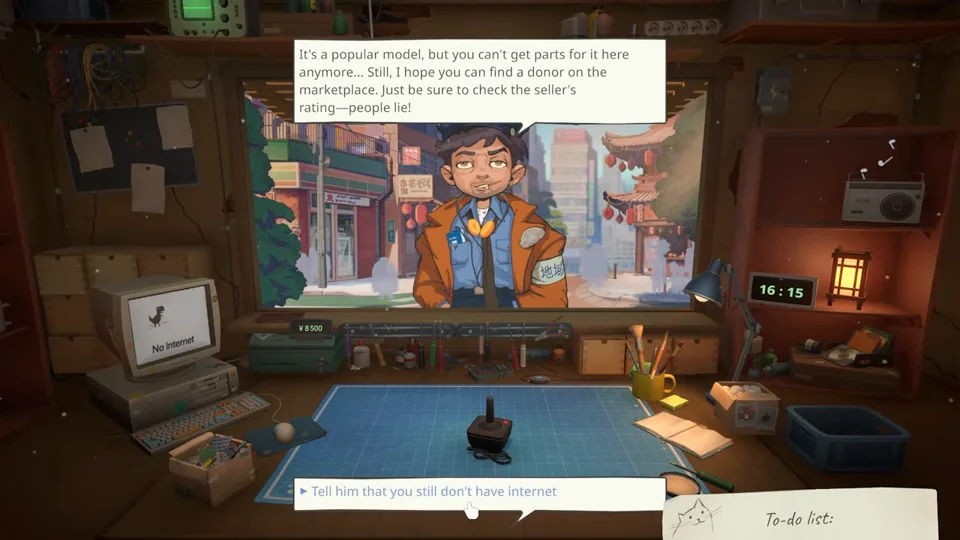
Open the shop PC, launch the Y2K browser (Gozilla Fairfox), and hit Marketplace. Listings include used gadgets, working / broken claims, seller ratings, status blurbs, and part blind boxes. Descriptions do not guarantee the insides — a “popular model” with no local parts often needs a donor from this exact screen.
| Flip type | Buy signal | Exit plan |
|---|---|---|
| Clean-only donor | Low ask + high seller score + dirt-only notes | Brush / air / bath → sell restored |
| Missing-part donor | Cheap shell with one known dead part you already stock | Swap from shelf → sell |
| Parts mule | Broken unit cheaper than Packuten new parts | Strip battery / board / screen / speaker → stock |
| Blind box | Spare cash only | Expect variance; never rent money |
| Skip | Vague “works” + bad seller score + high ask | Walk away — not a deal |
Community example (not a fixed ROI): a clean-only Marketplace unit that restores without expensive boards can roughly double if dirt was the only fault. When the listing needs a Wi-Fi board and a display, pause: those Packuten lines can erase the margin. If you already salvage those parts from prior strips, the same listing becomes free money.
NPC dialogue and beginner tips both hammer the same rule: check the seller before you hunt donors. High score plus boring “needs cleaning” copy is your bread and butter. Low score plus dramatic copy is how you buy a paperweight that still burns rent day.
Flips fund the shop when walk-ins slow. Passive yen — Tip Jar and Shredder — fills the gaps between big sales.
Both sit in the Home Depot / shop catalog as utility buys. Neither replaces repair income; both stop you from leaving yen on the floor.
| Upgrade | Community-reported effect | Buy when… |
|---|---|---|
| Tip Jar | Extra tips on offline and online jobs (often a few hundred yen) | You finish jobs daily and can still cover rent |
| Shredder | Broken parts → cash instead of trash | Scrap piles up and you have a rent buffer |
| Eternal / legendary shredder tiers | Finer grind / smarter scrap sorting for more yen | Base shredder already pays for itself |
Put the jar out and keep taking jobs — walk-ins and mail orders both feed it. You will still see tip-less deliveries; that is normal. The jar is a drip, not a jackpot, which is why it beats an early Eternal Shredder when cash is tight.
After unlock, damaged boards and dead shells stop being pure waste. Community guides peg scrap returns in the low hundreds of yen per part (roughly ¥200–¥500). That adds up across a day of failed Marketplace bets, but the machine itself is expensive — treat ~¥180,000-class shredder prices as mid-shop buys, not day-one panic purchases.
Passive income only matters if deadlines and landlords do not seize the till first.
Walk-ins pay when they collect. Outlink Express mail orders arrive on the shop PC with deadlines, push shop rating on Reviewme.not, and often need packaging for later pickup. Bills land as counter envelopes: pull cash from the register, seal the envelope, and return it. Skipping payments is how you unlock Bankrupt on purpose.
Completing mail jobs feeds First Review / popularity style progress and keeps the shop looking trusted. They also create tip opportunities once the Tip Jar is down. Do not accept a queue you cannot finish because you spent the afternoon window-shopping Marketplace junk.
Hashimoto’s early rent agreement is about ¥2,000 per week. Triple-rent repair payouts feel huge on day one — and they vanish if you buy a license the moment the till looks fat. Pay rent first, then decide whether the leftover is a flip stake or a tool.
That leftover decision is the whole mid-game: licenses unlock bigger devices, flips print cash now. The next section is the spend order.
Matched by build plan, shared topics, and guide progression — not random related links.
Service licenses on Packuten gate entire device classes. Community tallies put roughly 21 licenses at about ¥2,459,000 combined — enough to bankrupt a shop that buys “one of each” before tools. Flips and repairs print yen; licenses spend it for access.
| Situation | Action | Why |
|---|---|---|
| Till covers rent + one week buffer only | Flip clean Marketplace donors / take jobs | Liquidity first |
| Screwdriver still basic; jobs feel slow | Buy screwdriver / brush / Tip Jar | Throughput beats unlocks |
| Story NPC brings a locked device class | Buy that one license | Unblocks arc + rating |
| Shelf full of scrap, rent safe | Buy Shredder | Convert waste to yen |
| Tools stable, buffer fat, hunting Platinum Partner | Buy licenses on a route | See licenses page |
| Blind box looks fun, rent due tomorrow | Skip | Variance is not rent |
If a customer or mail ticket needs a Non-PMP / phone / console class you lack, that single Packuten permit is the correct spend — even over another flip. Buying every shiny permit “because Platinum Partner exists” is how early shops stall. Full permit mapping lives on the licenses page; bench speed lives on the tools guide.
No locked tickets waiting? Put spare yen into a clean-only Marketplace buy or a Tip Jar. You will earn the license fund faster by turning inventory than by staring at Packuten with an empty workbench.
Break those rules and week one stretches. The next section lists the money mistakes that do it.
Most early cash crises are self-inflicted. Fix these before you blame Marketplace RNG.
| Mistake | Symptom | Fix |
|---|---|---|
| License shopping spree | Cannot pay rent envelope | Refund priority: rent → tools → one needed license |
| Ignoring seller scores | Bought “working” bricks | Clean-only + high score only until buffer exists |
| Confusing sell price with job pay | Thought inventory sell was order pay | Check order vs inventory UI |
| Skipping bill envelopes | Bankrupt path / locked progress feel | Pay same day from till |
| Shredder before Tip Jar | Big purchase, tiny scrap pile | Jar first; shredder when scrap is real |
| Max pricing every story NPC | Cold arcs / worse ending pressure | Fair prices on named customers |
A simple house rule works: never spend below two weeks of rent plus tomorrow’s known part orders. Everything above that line is allowed for flips, Tip Jar, screwdriver tiers, then licenses. Pair this page with the beginner guide shop week and the tools guide buy order.
Price the finished repair at delivery, sell or list inventory stock, flip Marketplace purchases after clean/repair, shred scrap once unlocked, and collect Tip Jar tips on jobs.
Fair-priced walk-ins plus clean-only Marketplace flips. Tip Jar adds drip income; shredder waits until scrap volume and rent buffer exist.
Hashimoto’s opening agreement is about ¥2,000 per week. Always keep that liquid before shopping licenses.
Flip and tool up until a specific ticket needs a license. Full Packuten totals are huge (~¥2.46M community tally) — buy permits as unlocks, not as a completionist day-one checklist.
Yes — they pay, feed Tip Jar, and raise shop rating via Reviewme.not, but missed deadlines hurt future order quality.
On the tools guide — screwdriver tiers, brushes, Sonic Bath, soldering, shredder, Tip Jar, and Unlock-ToolKit.
Matched by build plan, shared topics, and guide progression — not random related links.